
Download gTrans – Translation, Google translation, translate text, multilingual, language tool
Overview
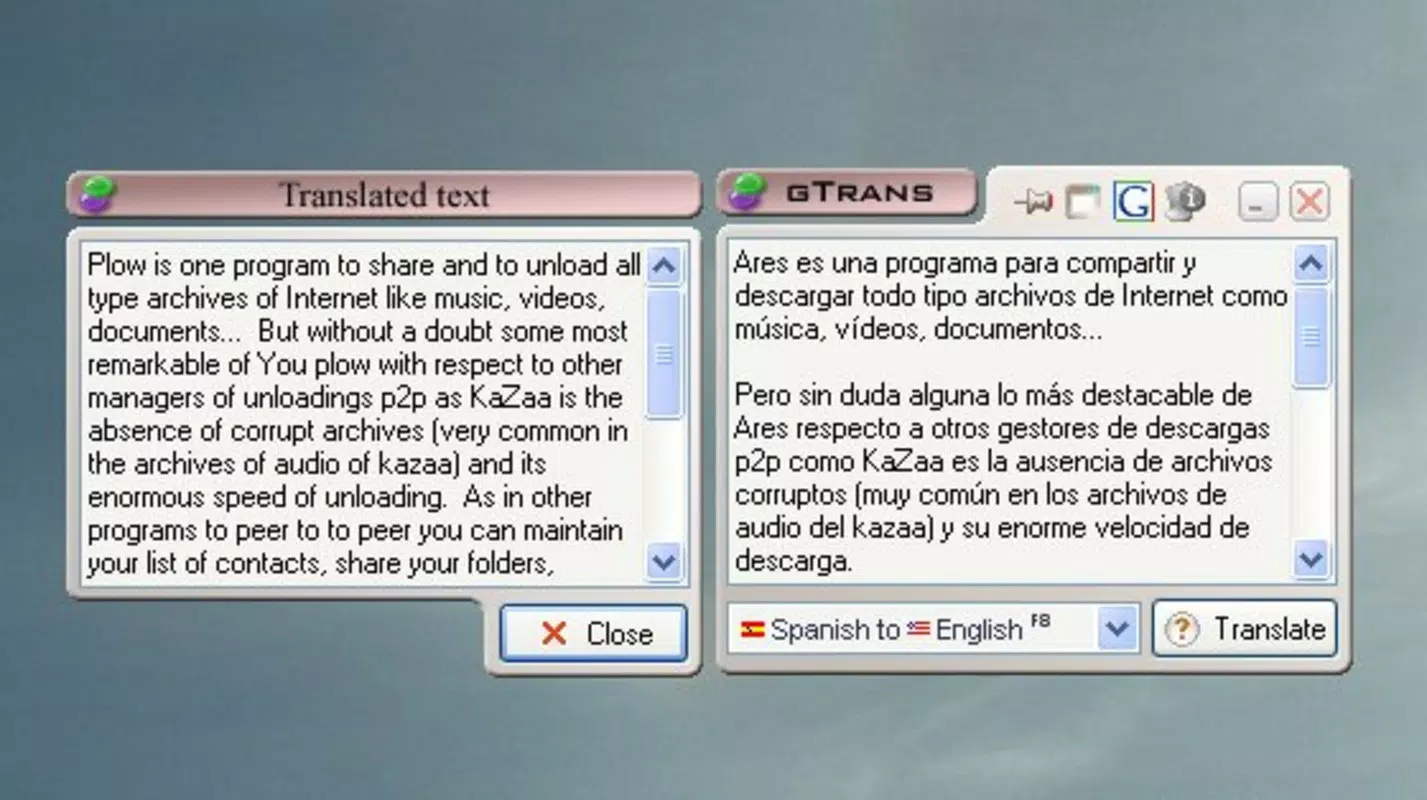
gTrans is a lightweight Android application designed to deliver fast and accessible text translation using the Google translation protocol. The app serves as a practical utility for individuals who frequently need to translate individual words or short phrases across multiple languages. Its primary purpose is to streamline communication in multilingual environments by offering real-time translations with minimal user input. Target users include language learners, travelers, students, and professionals working in international settings who require immediate access to accurate word-level translations.
Although the developer did not provide additional technical details about the app’s development background, gTrans has been available since 2014, indicating a long-standing presence in the productivity app space. Its continued relevance suggests consistent performance and user satisfaction over time. The app functions best with English and Spanish, but supports 12 language combinations, making it suitable for basic cross-lingual communication. Real-world use cases include translating menu items while traveling, clarifying vocabulary during language study, or quickly checking word meanings during work-related correspondence.
Within the mobile app ecosystem, gTrans fills a niche for users seeking a simple, no-frills translation tool without the overhead of full-featured language apps. It emphasizes speed and accessibility over advanced linguistic processing, positioning itself as a utility for on-the-go translation needs.
Key Features & Functionality
- Internet-Dependent Translation: gTrans relies on the Google translation protocol, requiring a stable internet connection to function. This ensures access to up-to-date translation models and high accuracy, particularly for common phrases and individual words.
- Support for 12 Language Pairs: The app enables translation between 12 different language combinations, with primary focus on English and Spanish. Additional pairs include English-French, German-English, and others, offering broad multilingual support for common international interactions.
- Intuitive User Interface: Designed with simplicity in mind, the interface allows users to input text and receive translations with minimal steps. The clean layout reduces cognitive load, enabling users to focus on content rather than navigation.
- Transparency and Always-On-Top Mode: Users can enable transparency and keep the app window always on top, which enhances usability during multitasking. This feature is particularly useful when referencing translations while browsing other apps or documents.
- Word-Level Translation Focus: gTrans excels at translating individual words and short phrases, making it ideal for quick lookups. This targeted functionality reduces processing time and delivers immediate results for users needing instant definitions.
For example, a student studying Spanish might use gTrans to quickly check the meaning of a new word while reading a text. Similarly, a traveler could translate a street sign or menu item in real time. However, the app’s lack of robust grammatical processing limits its effectiveness for longer or complex sentences, where context and syntax are crucial.
Interface, UX & Performance
The user interface of gTrans is minimalistic and functional, prioritizing readability and ease of access. Text input fields are clearly labeled, and translation results appear promptly, minimizing user wait time. The visual style avoids clutter, using neutral colors and straightforward typography to maintain focus on content.
Navigational flow is linear and intuitive—users input text, select a language pair, and receive a translation. The addition of transparency and always-on-top options enhances usability in multitasking scenarios, allowing the app to remain visible without interrupting other activities. Responsiveness is consistent across device categories, though the developer did not list formal performance metrics.
Although the developer did not list formal performance metrics, the app’s lightweight size of 2.3 MB suggests efficient resource usage. It is likely to operate smoothly on a range of Android devices, including entry-level models. Stability appears reliable, given its long-standing availability and consistent functionality. Users can expect minimal crashes or lag during typical use, though performance may vary slightly depending on internet speed and device capabilities.
Platform Compatibility & Technical Requirements
gTrans is available exclusively on the Android platform. The current version is 2.0.0, with a file size of 2.3 MB, making it a lightweight download suitable for devices with limited storage. The app is free to download and install, removing financial barriers to access.
The developer did not specify minimum OS requirements or compatibility details beyond the platform. As such, users should ensure their device runs a modern version of Android to support the app’s functionality. Compatibility information was not fully disclosed, so installation may vary across older or non-standard Android versions.
Pros and Cons
- Lightweight and fast-loading application
- Uses Google’s translation protocol for high accuracy
- Supports 12 language combinations, including English and Spanish
- Intuitive interface with minimal learning curve
- Transparency and always-on-top features enhance multitasking
- Requires constant internet connection
- Limited functionality for longer or complex sentences
- Lacks advanced grammatical processing
- Not suitable for offline use
- Compatibility with older Android versions not confirmed
FAQ
Is gTrans safe to download and use?
Yes, gTrans is a free Android app that operates through the Google translation protocol. It does not require excessive permissions and is designed as a secure utility for text translation.
Can I use gTrans without an internet connection?
No, gTrans requires a stable internet connection to function, as it relies on the Google translation API to deliver results.
Does gTrans support offline translation?
Currently, the app does not offer offline translation capabilities. All translations depend on real-time access to Google’s servers.
How often is gTrans updated?
While the latest version is 2.0.0, the developer has not provided information on update frequency or release schedule.
Is gTrans available for iOS devices?
As of now, gTrans is only available on the Android platform. There is no official iOS version.
Final Thoughts
gTrans remains a dependable tool for users who need quick, accurate translations of individual words and short phrases. Its integration with Google’s translation technology ensures reliable results, especially for English and Spanish. The app’s lightweight design, intuitive interface, and multitasking features make it a practical choice for language learners, travelers, and professionals on the move.
While it falls short in handling longer texts due to limited grammatical support, its focused functionality delivers value where it matters most—speed and simplicity. For users seeking a no-nonsense translation utility without unnecessary features, gTrans stands out as a solid option.
Download gTrans now


